UI / UX Design
MyPhotoPal
Beginner photographers often struggle to start planning shoots. I designed a high-fidelity learning app, informed by e-learning theory, that teaches core skills and includes an AI chatbot for on-demand support.
Industry :
Tech
Client :
Edinburgh Napier University
Project Duration :
9 months
Brief :
In the field of photography, a common problem seen with newcomers is not knowing where to start with their photographic shoots. Newcomers need to learn and grow in this art in order to gain the ability to think creatively and progress to develop real talent in photography. I investigated this problem context using e-learning theory, and documented the creation of a high-fidelity prototype app that teaches basic photography. This prototype also includes the creation of an AI chatbot that can provide the user with definitional answers to any query they might have.

Problem :
How might I use Design Thinking methodology to create a prototype chatbot app that teaches basic photography to the target audience of young people interested in breaking into photo shooting?
Outcome :
User feedback from the usability test and focus group shows that MyPhotoPal was an overall success with the target user. With successful interactions with the mobile UI, and a functional AI chatbot.

Design Process :
Step 1: User Research & Design
Critical engagement with qualitative data-gathering methods were implemented to gather necessary insights into defining user needs. After gathering qualitative data into defining the user requirements for this prototype chatbot app, I experimented with card sorting and wireframing to ideate innovative solutions to the problem statement. This also helped to define the visual style and information architecture.
Step 2: Design & Prototype
Once the design standards for the prototype were set, I built the user interface of the app using Figma, along with a style guides - a set of design guidelines based on the preferences of the target user seen in the user personas. Secondly, for the chatbot component of the project, I used a web tool known as Kore.ai to train the AI chatbot so it can help the end-user on their learning journey.
Step 3: Usability Testing & Response
To determine if the product connected well with the user. I conducted a usability test and focus group to critically reflect and discuss the prototype app, its outcome, and the impact it has on encouraging the target user of young people interested in breaking into photo shooting.
Ideating Design Solutions :
The Problem
HMW Statements
Design Solutions
Readability - cluttered layouts overwhelm and hinder the customer focus, creating cognitive strain and driving them away from the website.
How might we reduce cognitive strain on customers and simplify the website design for better legibility.
Choose fonts and sizes that are readable on various devices. Ensuring there is contrast between text and background colours.
Complex navigation - Too many pages, with confusing information architecture. Customers struggle to locate features and get frustrated.
How might we increase customer satisfaction with the site navigation for a better user journey.
Ensure a clear logical categorisation of content, and to utilise intuitive labelling. Search function is good for quick access to specific information.
Insufficient error handling – various broken links scattered throughout the site coding and errors in the interactions.
How might we find and repair the user interface bugs and error messages for better interaction.
Provide informative error messages that clearly explain the problem, and provides contact information for help the customer. Or use a 404 page.
Design Concept - Motion Graphic :
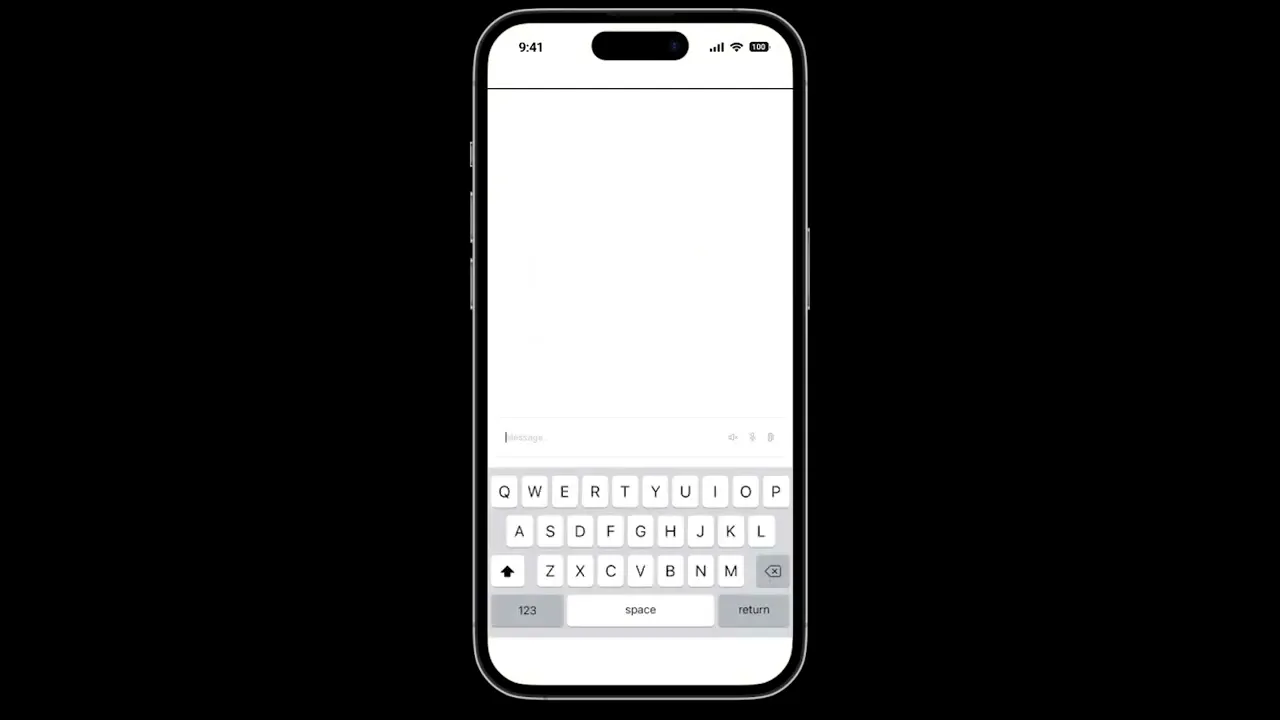
Since the UI design & AI chatbot were designed separately, the video below shows a motion graphic of how the app would function if these two components were integrated together.
User Research Results & Findings :
To define the user needs in this prototype app, To do this, I conducted 2 semi-structured interviews with 10 individuals in order to derive key insights into what the target user is looking for and generate a design solution to the problem statement. To assist with this, the user needs and aspirations derived from the transcripts were also represented using persona-based empathy maps, this kept these efforts user-centred.
Key insights from the data :
1. The primary function of the personal assistant chatbot is to act as a knowledgeable guide to the user.
2. The lessons should prepare the user fortheir shoot by teaching them how to carefully plan them ahead of time. This training must also be designed for all abilities.
3. Practical training in all these areas willensure the user gains a basicunderstanding of shooting correctly.
4. Target users want to develop their own artistic tastes and style throughout the lessons.
Screen Navigation :
Upon starting the card sorting challenge each participant was greeted with 24 cards labelled with individual topics derived from the data analysis. As a group, they categorised topics into groups that made sense to them and each group was named in a way that accurately describes the content.

User responses to the card sorting challenge inspired the navigation and IX flow of each screen can be accessed in order to better represent how the site's navigation is going to work.

Branding and UI Components :
This document contains my idea of the product's branding including the logo and UI components. All branding and context are original creations

Screen Design Outcome :

Splash screen

Welcome screen

Login screen

Sign up screen

Home screen

Chatbot screen

Lesson screen

Quiz screen

Badge screen

Courses screen

Planning screen

Forum screen

Messaging screen

Profile screen

Progress screen

Settings screen
Chatbot Development :
Developing the chatbot component on Kore.ai was the most rewarding part of the process. Giving me the opportunity to learn this new software skill.

Presenting the Finished Product :
As part of demonstrating this project to my marker, I was required to present a poster showing the design & development process from beginning to end.

Reflecting on Project Outcomes :
01 | Successful outcome
Overall, I had a brilliant time carrying out this design project and fulfilling the brief to a high standard. I managed to deliver a high-fidelity mobile prototype that successfully fulfils the problem objective of teaching photography to the target audience of young people. As a result, I received praise from the university facility during my demonstration and set me up for graduating top of the class with a First Class Honours degree in Digital Media and Interaction Design.
02 | Positive response
The testing phase of this project provided valuable feedback the performance, and showed effective engagement by motivating the target user in their photography education. However, feedback showed a small usability issue of having slight difficulty seeing certain elements, because there was low contrast on the yellow background. This problem can be fixed to improve the user experience by reiterating the design of the prototype and then retesting it with the respected user.
03 | Next steps...
The vision for taking this project forward is to bring this prototype to life by integrating the AI with the app design using scripting. Since the target user enjoyed using the prototype, this seems like the most logical step in the development process. Then, possibly launching the project on the app store for end-users to download to their phones and enjoy.

Hi
Let's work together
Drop me a line! I will get back to you asap.
UI / UX Design
MyPhotoPal
Beginner photographers often struggle to start planning shoots. I designed a high-fidelity learning app, informed by e-learning theory, that teaches core skills and includes an AI chatbot for on-demand support.
Industry :
Tech
Client :
Edinburgh Napier University
Project Duration :
9 months
Brief :
In the field of photography, a common problem seen with newcomers is not knowing where to start with their photographic shoots. Newcomers need to learn and grow in this art in order to gain the ability to think creatively and progress to develop real talent in photography. I investigated this problem context using e-learning theory, and documented the creation of a high-fidelity prototype app that teaches basic photography. This prototype also includes the creation of an AI chatbot that can provide the user with definitional answers to any query they might have.
Problem :
How might I use Design Thinking methodology to create a prototype chatbot app that teaches basic photography to the target audience of young people interested in breaking into photo shooting?
Outcome :
User feedback from the usability test and focus group shows that MyPhotoPal was an overall success with the target user. With successful interactions with the mobile UI, and a functional AI chatbot.
Design Process :
Step 1: User Research & Design
Critical engagement with qualitative data-gathering methods were implemented to gather necessary insights into defining user needs. After gathering qualitative data into defining the user requirements for this prototype chatbot app, I experimented with card sorting and wireframing to ideate innovative solutions to the problem statement. This also helped to define the visual style and information architecture.
Step 2: Design & Prototype
Once the design standards for the prototype were set, I built the user interface of the app using Figma, along with a style guides - a set of design guidelines based on the preferences of the target user seen in the user personas. Secondly, for the chatbot component of the project, I used a web tool known as Kore.ai to train the AI chatbot so it can help the end-user on their learning journey.
Step 3: Usability Testing & Response
To determine if the product connected well with the user. I conducted a usability test and focus group to critically reflect and discuss the prototype app, its outcome, and the impact it has on encouraging the target user of young people interested in breaking into photo shooting.
Ideating Design Solutions :
The Problem
HMW Statements
Design Solutions
Readability - cluttered layouts overwhelm and hinder the customer focus, creating cognitive strain and driving them away from the website.
How might we reduce cognitive strain on customers and simplify the website design for better legibility.
Choose fonts and sizes that are readable on various devices. Ensuring there is contrast between text and background colours.
Complex navigation - Too many pages, with confusing information architecture. Customers struggle to locate features and get frustrated.
How might we increase customer satisfaction with the site navigation for a better user journey.
Ensure a clear logical categorisation of content, and to utilise intuitive labelling. Search function is good for quick access to specific information.
Insufficient error handling – various broken links scattered throughout the site coding and errors in the interactions.
How might we find and repair the user interface bugs and error messages for better interaction.
Provide informative error messages that clearly explain the problem, and provides contact information for help the customer. Or use a 404 page.
Design Concept - Motion Graphic :
Since the UI design & AI chatbot were designed separately, the video below shows a motion graphic of how the app would function if these two components were integrated together.
User Research Results & Findings :
To define the user needs in this prototype app, To do this, I conducted 2 semi-structured interviews with 10 individuals in order to derive key insights into what the target user is looking for and generate a design solution to the problem statement. To assist with this, the user needs and aspirations derived from the transcripts were also represented using persona-based empathy maps, this kept these efforts user-centred.
Key insights from the data :
1. The primary function of the personal assistant chatbot is to act as a knowledgeable guide to the user.
2. The lessons should prepare the user fortheir shoot by teaching them how to carefully plan them ahead of time. This training must also be designed for all abilities.
3. Practical training in all these areas willensure the user gains a basicunderstanding of shooting correctly.
4. Target users want to develop their own artistic tastes and style throughout the lessons.
Screen Navigation :
Upon starting the card sorting challenge each participant was greeted with 24 cards labelled with individual topics derived from the data analysis. As a group, they categorised topics into groups that made sense to them and each group was named in a way that accurately describes the content.
User responses to the card sorting challenge inspired the navigation and IX flow of each screen can be accessed in order to better represent how the site's navigation is going to work.
Branding and UI Components :
This document contains my idea of the product's branding including the logo and UI components. All branding and context are original creations
Screen Design Outcome :
Splash screen
Welcome screen
Login screen
Sign up screen
Home screen
Chatbot screen
Lesson screen
Quiz screen
Badge screen
Courses screen
Planning screen
Forum screen
Messaging screen
Profile screen
Progress screen
Settings screen
Chatbot Development :
Developing the chatbot component on Kore.ai was the most rewarding part of the process. Giving me the opportunity to learn this new software skill.
Presenting the Finished Product :
As part of demonstrating this project to my marker, I was required to present a poster showing the design & development process from beginning to end.
Reflecting on Project Outcomes :
01 | Successful outcome
Overall, I had a brilliant time carrying out this design project and fulfilling the brief to a high standard. I managed to deliver a high-fidelity mobile prototype that successfully fulfils the problem objective of teaching photography to the target audience of young people. As a result, I received praise from the university facility during my demonstration and set me up for graduating top of the class with a First Class Honours degree in Digital Media and Interaction Design.
02 | Positive response
The testing phase of this project provided valuable feedback the performance, and showed effective engagement by motivating the target user in their photography education. However, feedback showed a small usability issue of having slight difficulty seeing certain elements, because there was low contrast on the yellow background. This problem can be fixed to improve the user experience by reiterating the design of the prototype and then retesting it with the respected user.
03 | Next steps...
The vision for taking this project forward is to bring this prototype to life by integrating the AI with the app design using scripting. Since the target user enjoyed using the prototype, this seems like the most logical step in the development process. Then, possibly launching the project on the app store for end-users to download to their phones and enjoy.
Hi
Let's work together
Drop me a line! I will get back to you asap.
UI / UX Design
MyPhotoPal
Beginner photographers often struggle to start planning shoots. I designed a high-fidelity learning app, informed by e-learning theory, that teaches core skills and includes an AI chatbot for on-demand support.
Industry :
Tech
Client :
Edinburgh Napier University
Project Duration :
9 months
Brief :
In the field of photography, a common problem seen with newcomers is not knowing where to start with their photographic shoots. Newcomers need to learn and grow in this art in order to gain the ability to think creatively and progress to develop real talent in photography. I investigated this problem context using e-learning theory, and documented the creation of a high-fidelity prototype app that teaches basic photography. This prototype also includes the creation of an AI chatbot that can provide the user with definitional answers to any query they might have.
Problem :
How might I use Design Thinking methodology to create a prototype chatbot app that teaches basic photography to the target audience of young people interested in breaking into photo shooting?
Outcome :
User feedback from the usability test and focus group shows that MyPhotoPal was an overall success with the target user. With successful interactions with the mobile UI, and a functional AI chatbot.
Design Process :
Step 1: User Research & Design
Critical engagement with qualitative data-gathering methods were implemented to gather necessary insights into defining user needs. After gathering qualitative data into defining the user requirements for this prototype chatbot app, I experimented with card sorting and wireframing to ideate innovative solutions to the problem statement. This also helped to define the visual style and information architecture.
Step 2: Design & Prototype
Once the design standards for the prototype were set, I built the user interface of the app using Figma, along with a style guides - a set of design guidelines based on the preferences of the target user seen in the user personas. Secondly, for the chatbot component of the project, I used a web tool known as Kore.ai to train the AI chatbot so it can help the end-user on their learning journey.
Step 3: Usability Testing & Response
To determine if the product connected well with the user. I conducted a usability test and focus group to critically reflect and discuss the prototype app, its outcome, and the impact it has on encouraging the target user of young people interested in breaking into photo shooting.
Ideating Design Solutions :
The Problem
HMW Statements
Design Solutions
Readability - cluttered layouts overwhelm and hinder the customer focus, creating cognitive strain and driving them away from the website.
How might we reduce cognitive strain on customers and simplify the website design for better legibility.
Choose fonts and sizes that are readable on various devices. Ensuring there is contrast between text and background colours.
Complex navigation - Too many pages, with confusing information architecture. Customers struggle to locate features and get frustrated.
How might we increase customer satisfaction with the site navigation for a better user journey.
Ensure a clear logical categorisation of content, and to utilise intuitive labelling. Search function is good for quick access to specific information.
Insufficient error handling – various broken links scattered throughout the site coding and errors in the interactions.
How might we find and repair the user interface bugs and error messages for better interaction.
Provide informative error messages that clearly explain the problem, and provides contact information for help the customer. Or use a 404 page.
Design Concept - Motion Graphic :
Since the UI design & AI chatbot were designed separately, the video below shows a motion graphic of how the app would function if these two components were integrated together.
User Research Results & Findings :
To define the user needs in this prototype app, To do this, I conducted 2 semi-structured interviews with 10 individuals in order to derive key insights into what the target user is looking for and generate a design solution to the problem statement. To assist with this, the user needs and aspirations derived from the transcripts were also represented using persona-based empathy maps, this kept these efforts user-centred.
Key insights from the data :
1. The primary function of the personal assistant chatbot is to act as a knowledgeable guide to the user.
2. The lessons should prepare the user fortheir shoot by teaching them how to carefully plan them ahead of time. This training must also be designed for all abilities.
3. Practical training in all these areas willensure the user gains a basicunderstanding of shooting correctly.
4. Target users want to develop their own artistic tastes and style throughout the lessons.
Screen Navigation :
Upon starting the card sorting challenge each participant was greeted with 24 cards labelled with individual topics derived from the data analysis. As a group, they categorised topics into groups that made sense to them and each group was named in a way that accurately describes the content.
User responses to the card sorting challenge inspired the navigation and IX flow of each screen can be accessed in order to better represent how the site's navigation is going to work.
Branding and UI Components :
This document contains my idea of the product's branding including the logo and UI components. All branding and context are original creations
Screen Design Outcome :
Splash screen
Welcome screen
Login screen
Sign up screen
Home screen
Chatbot screen
Lesson screen
Quiz screen
Badge screen
Courses screen
Planning screen
Forum screen
Messaging screen
Profile screen
Progress screen
Settings screen
Chatbot Development :
Developing the chatbot component on Kore.ai was the most rewarding part of the process. Giving me the opportunity to learn this new software skill.
Presenting the Finished Product :
As part of demonstrating this project to my marker, I was required to present a poster showing the design & development process from beginning to end.
Reflecting on Project Outcomes :
01 | Successful outcome
Overall, I had a brilliant time carrying out this design project and fulfilling the brief to a high standard. I managed to deliver a high-fidelity mobile prototype that successfully fulfils the problem objective of teaching photography to the target audience of young people. As a result, I received praise from the university facility during my demonstration and set me up for graduating top of the class with a First Class Honours degree in Digital Media and Interaction Design.
02 | Positive response
The testing phase of this project provided valuable feedback the performance, and showed effective engagement by motivating the target user in their photography education. However, feedback showed a small usability issue of having slight difficulty seeing certain elements, because there was low contrast on the yellow background. This problem can be fixed to improve the user experience by reiterating the design of the prototype and then retesting it with the respected user.
03 | Next steps...
The vision for taking this project forward is to bring this prototype to life by integrating the AI with the app design using scripting. Since the target user enjoyed using the prototype, this seems like the most logical step in the development process. Then, possibly launching the project on the app store for end-users to download to their phones and enjoy.
Hi
Let's work together
Drop me a line! I will get back to you asap.